




Every AI coding session has a limit: the context window, the amount of text the model can consider at once. Long sessions full of file reads, command output and back-and-forth eventually approach it. Claude Code's compact feature is the mechanism that lets a session continue past that point.
This article explains what compaction does, how to control it, and where it can hurt you.
What Compaction Does and How It Works
Compaction asks the model to summarize the conversation so far, then replaces the session history with that summary. The session carries on from the summary instead of the full transcript. It happens in one of two ways: automatically when the session nears the context-window limit, or manually when you run /compact.
Under the hood, /compact sends a separate request containing the conversation history and a summarization instruction. According to a third-party write-up, the session stays in the same file on disk, and a boundary record is appended to mark where the summary begins.
The summary is lossy
Compaction is lossy: it tends to keep conclusions and drop some of the reasoning behind them. Anything the summary omits is gone from the model's working memory. One third-party test on Claude Code v2.1.300 found that decisions the user stated were retained in every condition tested. Claude's own intermediate analysis was not retained accurately in either of two tests with a plain /compact, but it was retained in both tests when the prompt explicitly asked for it. This is a small test, so treat it as an indication rather than a guarantee.
Steering the summary
You can pass instructions to tell the summarizer what matters:
/compact focus on the auth refactor, drop the test debuggingThis is the most useful habit to build. Without guidance, the model has to guess which details will matter next. Anthropic has said that bad automatic compactions can occur when the model cannot predict the direction the work is going.
Compact, Clear, and Choosing Between Them
Claude Code gives you three ways to deal with a growing session:
- Automatic compaction: happens near the context limit with no action from you.
/compactwith instructions: you decide what the summary should preserve./clear: starts a fresh session. You decide what to write down and carry forward, for example in a handoff note.
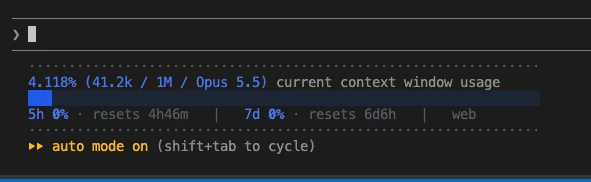
The practical rule from recent guides: compact when you are continuing the same task, and clear when you are starting a new, unrelated task or when a summary would not help. Before deciding, you can run /context to see how much of the window is in use.
A typical scenario: you spent an hour debugging flaky tests while refactoring authentication. The refactor is not finished, but the debugging detail is noise. A focused /compact keeps the refactor state and discards the rest. If you were about to switch to an unrelated feature, /clear with a short note is cleaner.
Tuning, Cost and Limits
The point at which automatic compaction triggers can be changed. Reports say it can be set through /autocompact, the --autocompact flag, or the CLAUDE_CODE_AUTO_COMPACT_WINDOW environment variable, with a range of 100K to 1M tokens. One third-party article reports that, as of October 2026, models with a 1-million-token window compact automatically at about 967,000 tokens. Check your installed version's help output, since these details have been changing.
export CLAUDE_CODE_AUTO_COMPACT_WINDOW=200000Cost depends on caching. Because compaction is its own request carrying the whole history, a warm prompt cache can make a mid-session compact cost a fraction of what the context size suggests. If you return after a break longer than the cache lifetime, the request reprocesses the full history as uncached input and costs more. Compacting before a long pause is therefore not always cheaper than compacting while you are actively working.
The tooling also keeps evolving. Per an unofficial changelog reference, v2.1.283 (September 25, 2026) changed compaction progress display, v2.1.286 (September 30, 2026) added confirmation prompts for /compact, /clear and /rewind inside an agent view, and v2.1.293 (October 7, 2026) made /compact note when its message already shows the summary.
Conclusion
Compaction trades detail for continuity. It lets one session outlive its context window, but whatever the summary leaves out is lost, so the quality of the result depends on how well the summarizer knows where you are headed.
The workable habits are simple: check /context, compact with explicit instructions when continuing the same work, and clear with a handoff note when the task changes.