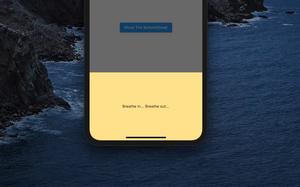
BottomSheet is a built-in widget in Flutter. This widget is very useful in many situations, such as when you want to present some information, display a menu, show a form with text fields, etc. This article will walk you through 3......
This article walks you through a complete example of using Stream.periodic in Flutter. Overview The Stream.periodic constructor, as its name implies, is used to create a stream that broadcasts events repeatedly at period......
In Flutter, a button is disabled if both its onPressed and onLongPress callbacks are null. This concise article shows you how to disable a button after it has been pressed (this will be useful in cases where you want the user to be able......
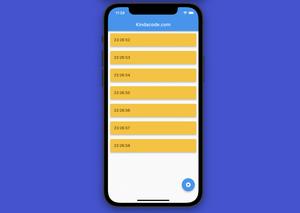
In this article, we’ll have a look at the fundamentals of the Timer class in Flutter and go over a couple of different examples of using it in applications. Overview Before using the TImer class, you need to import the......
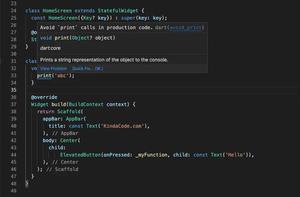
When working with a new version of Flutter(2.5.0 or higher), the IDE (like VS Code) will yell at you if you call the print() function to output something to the console (this behavior didn’t happen before): Avoid `print` calls in......
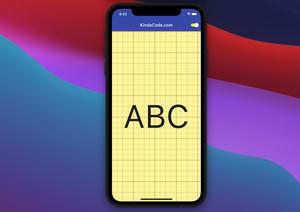
Introduction In daily life, we see many objects with gridlines, such as whiteboards, and notebooks. In mobile applications, software, and websites related to design or photo editing, we also see the appearance of gridlines. In......
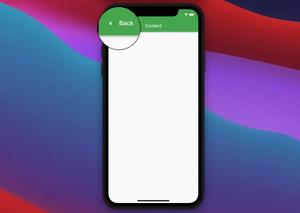
If your Flutter app has multiple screens then when you navigate from screen A to screen B, a default back button will be automatically added to the app bar of screen B. This back button has the shape of an arrow pointing to the left and......
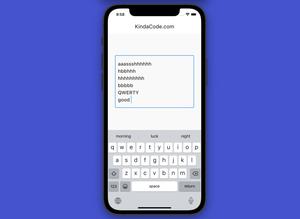
In Flutter, you can create an auto-resize (as needed) TextField (or TextFormField) in one of the following ways: Set the maxlines argument to null. The text field can expand forever if a lot of text is entered.Set minLines to 1 and......
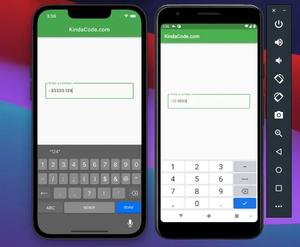
In Flutter, if you want to create a TextField that is optimized to take numerical inputs, you can set the keyboardType parameter to TextInputType.number. However, with this implementation, the soft keyboard on iOS doesn’t have a......
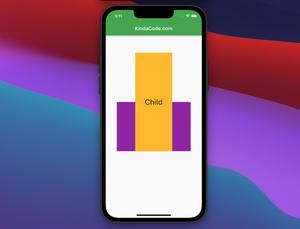
The SizedOverflowBox widget in Flutter, as its name describes itself, is used to create a box with certain width and height but lets its child overflow. You can implement a SizedOverFlow box as follows: SizedOverflowBox({ Key? key, ......
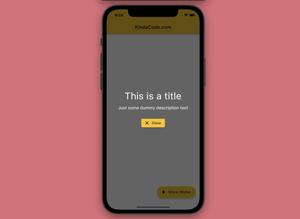
This practical article shows you how to implement a full-screen semi-transparent modal dialog in Flutter (with some animations). You will also learn how to pass data between the parent screen and the modal dialog. No more rambling,......
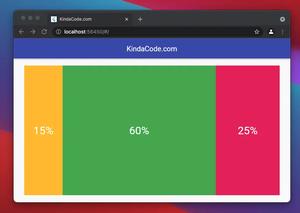
This article walks you through a couple of examples of implementing layouts with multiple columns whose widths aren’t fixed but in percentages. Example 1: Using Flexible or Expanded widget This example creates a layout......