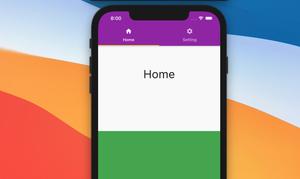
Today we’ll talk about the SliverAppBar widget in Flutter. The main part of this article is a complete example of implementing a SliverAppBar with a bottom section that consists of 2 tabs. The others are a few explanations and......
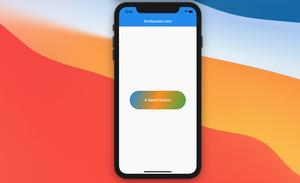
This article shows you a few ways to create buttons with gradient background colors in Flutter without causing side effects like missing ripple effects or producing unwanted borders. We’ll walk through 2 different examples. The......
This article shows you how to safely nest a ListView or a GridView inside a Column. Problem When building Flutter applications, you may run into the following error: Vertical viewport was given unbounded height The error......
This article is about reading and writing text files in Flutter. Introduction Text files (which have .txt extension) are widely used to store information persistently, from numerical data to long text. Today, we will walk through 2......
Applications of math, physics, chemistry, and other sciences are increasingly used by the popularity of mobile devices around the world. In this article, we will walk through a couple of different approaches to displaying mathematical......
CSV stands for Comma-Separated Values, is a file type widely used to store tabular data (numbers and text) in the plain text where each line will have the same number of fields. In this article, we will explore how to read content from a......
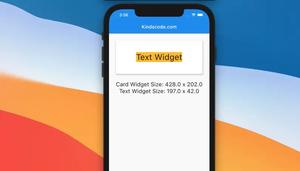
In Flutter, you can easily get the size of a specific widget after it’s rendered. What you need to do is to give it a key, then use that key to access currentContext.size property, like this: final _key = GlobalKey(); // This......
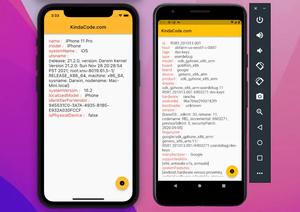
This article walks you through 2 examples that demonstrate how to get the device identifier in Flutter. Using platform_device_id If you need only the id of the device that your app is running on, the simplest and quickest......
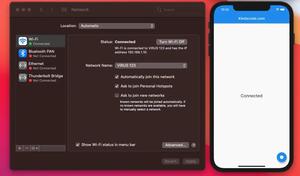
If your application needs an internet connection in order to work correctly then it is necessary to check the internet connection. For example, when there is a connection problem, a message will be displayed to alert the user of the......
Using an image as a full-screen background will help your app convey more messages to the user, such as showing that your app is about education, entertainment, finances, etc. In this article, we’ll go over 2 examples of using......
In this tutorial, we’ll build a simple Flutter app that fetches a to-do list from an open API and displays it on the screen. We also implement a Pull-to-Refresh feature that lets the user refresh the content by making a pulling-down......
There may be times you want to create random colors to make your Flutter application more vivid, and colorful and give users a new experience, such as you want to create a ListView or GridView with different colored items, you want the......