This concise, practical article will walk you through three complete examples of creating gradient text in Flutter. We’ll use only the built-in features of Flutter and won’t rely on any third-party libraries. Example 1:......
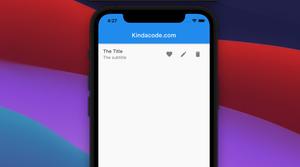
There might be cases where you want to add multiple trailing icon buttons to a ListTIle widget. Many Flutter developers will get a solution in seconds: using a Row widget and placing some icon buttons inside it, like this: ListTile( ......
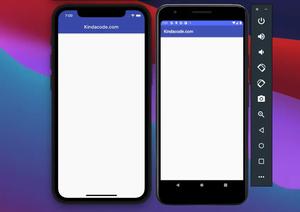
This short post shows you how to change the status bar color (and control its text and icon brightness) in Flutter. iOS On iOS, the background color of the status bar is the same as the background color of the AppBar......
In Flutter, you can set the orientation of the text characters in a line to vertical by wrapping a Text widget inside a RotatedBox widget, like this: RotatedBox( quarterTurns: 1, child: Text( ......
If you’re using the http package (version 0.13 or newer), you might run into the following error when sending HTTP requests: The argument type 'String' can't be assigned to the parameter type 'Uri' The cause of this error......
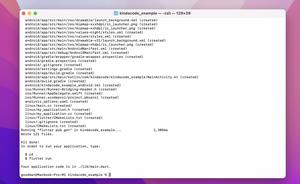
To create a new Flutter project in the current directory, you can run the flutter create command and use the dot (.) for the path: flutter create . Important: The folder name should be all lowercase, with underscores to separate......
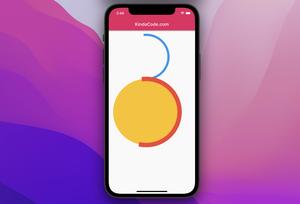
In Flutter, the CircularProgressIndicator widget, as its name implies, helps you implement a circle progress indicator that lets the user know that something is loading. This widget doesn’t ship options to set its size like......
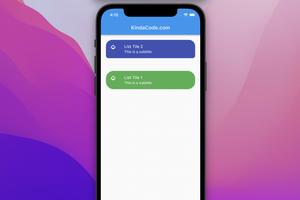
In Flutter, you can implement a ListTile widget with rounded corners by setting its shape property to RoundedRectangleBorder(/*...*/). Below is a concrete example that demonstrates this. Screenshot: The code: Scaffold( ......
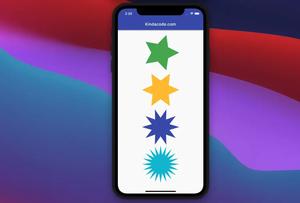
This article shows you how to draw an n-pointed star (5-pointed star, 6-pointed star, 10-pointed star, 20-pointed star, etc.) by using the CustomClipper class in Flutter. There is no need to install any third-party packages. We will......
This article shows you a couple of different ways to display text that contains special characters in Flutter. Escaping every special character Like many programming languages, you can escape special characters in a Dart string by......
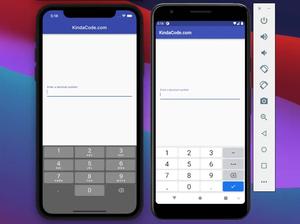
To show the decimal number soft keyboard in Flutter, just add the following option to your TextField widgets: keyboardType: TextInputType.numberWithOptions(decimal: true) Note: If you use keyboardType: TextInputType.number, the soft......
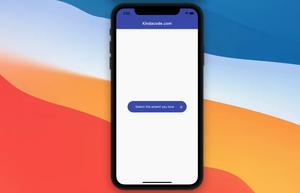
This article walks you through an end-to-end complete example of implementing the DropdownButton widget in Flutter. Overview A Quick Note When a DropdownButton widget gets pressed, a menu with items will show up and let the......