This article walks you through a few examples of using the GridTile widget in Flutter applications. Overview GridTile helps us quickly and easily create a tile with rich content (a combination of text, images, and icons). This......
In simple words, SafeArea is a widget that automatically adds padding needed to prevent its descendants from being covered by notches, the system status bar, rounded corners… or other similar creative physical features on the device......
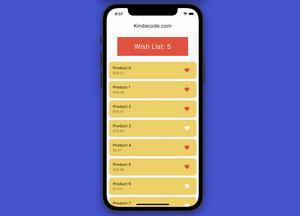
This article shows you how to use GetX (also known as Get) to manage states in Flutter. We are going to build a simple app that displays a list of given products (you can fetch these things from an API or a database as well). A user......
In Flutter, you can add a gradient background to a Container by using the gradient property of the BoxDecoration class. Below are a few examples of doing so in practice. Example 1: LinearGradient Background The code: Scaffold( ......
Introduction Flutter already provides built-in navigator APIs that can help us navigate between screens (routes) and show dialogs, snack bars, and bottom sheets without installing a third-party library. They are good and easy to......
This article shows you how to handle error network images in Flutter. If you use Image.network() to display an online image and that image is broken (404 not found, 403 forbidden, etc.), you can use the errorBuilder property to......
In TypeORM, you can select a single or multiple random rows by adding orderBy(‘RANDOM()’) to your query builder. Let’s see a couple of examples below for more clarity. Let’s say we have a User entity like......
In TypeORM, you can select rows in a table based on the relation columns (in the related table) by using a query builder like this: const postRepository = myDataSource.getRepository(Post); const posts = await postRepository ......
GetX is a massively functional and open-source Flutter library that is the most popular these days, with over 10,000 likes on pub.dev. Although GetX provides a wide range of features, each feature is contained in a separate container,......
In TypeORM, you can order your results by multiple columns. The 2 examples below show you how to do that. The first example uses the find() method whilst the second one uses a query builder. In both of these examples, we will work with......
In TypeORM, you can simply connect to multiple databases simultaneously just by creating multiple data sources. The Steps 1. Setup your data sources: xport const dataSourceOne = new DataSource({ database:......
In TypeORM, you can execute raw SQL queries by calling the query() method (you can access this method via your data source or the entity manager). You can do everything from CRUD data (create, read, update, and delete) to other complex......